Monitoring
Two surfaces keep operators in touch with the data pipeline: Pipeline runs for delivery, QA findings for accuracy.
Pipeline runs — /admin/pipeline
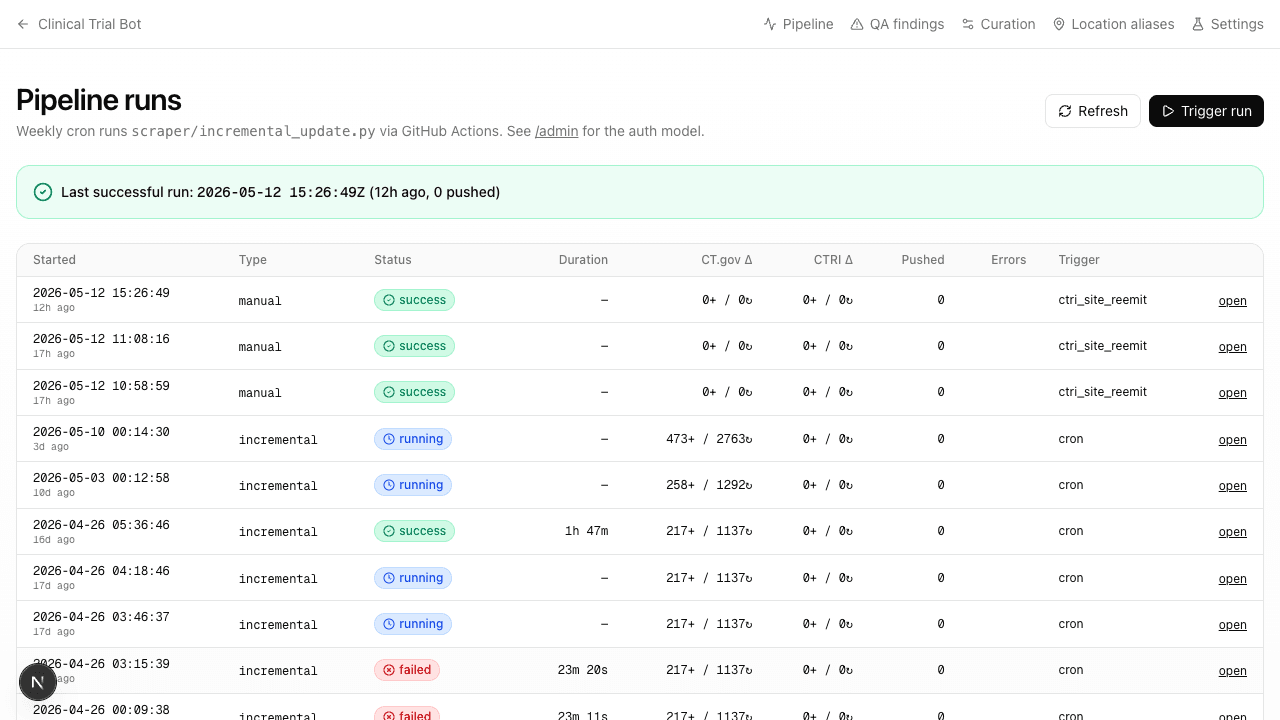
A list of the most recent 30 weekly-cron runs plus any admin-triggered manual dispatches. Status pills:
- success — completed; data landed
- halted_validation — the deterministic validation gate rejected ≥20% of the delta; nothing was pushed. Investigate.
- failed — process crashed mid-run; check the log
- completed_with_errors — finished but some trials hit per-row errors; usually fine
A "last successful Xd ago" health card surfaces at the top — if it's red, the cron has stopped.
Trigger run button calls workflow_dispatch against the same incremental-update.yml workflow the cron uses. Requires the GH_DISPATCH_TOKEN PAT on the server.
Per-run drill-down
Click any run for tabs: Overview · Log · Delta trials · Spot review.
- Overview — counts (fetched, new, updated, extracted, validated, pushed), durations, status code
- Log — full pino output for the run
- Delta trials — every
registry_idtouched, linkable to the per-trial editor - Spot review — random sample; see the Trial editor page for the audit / regen / flag actions
QA findings — /admin/qa-findings
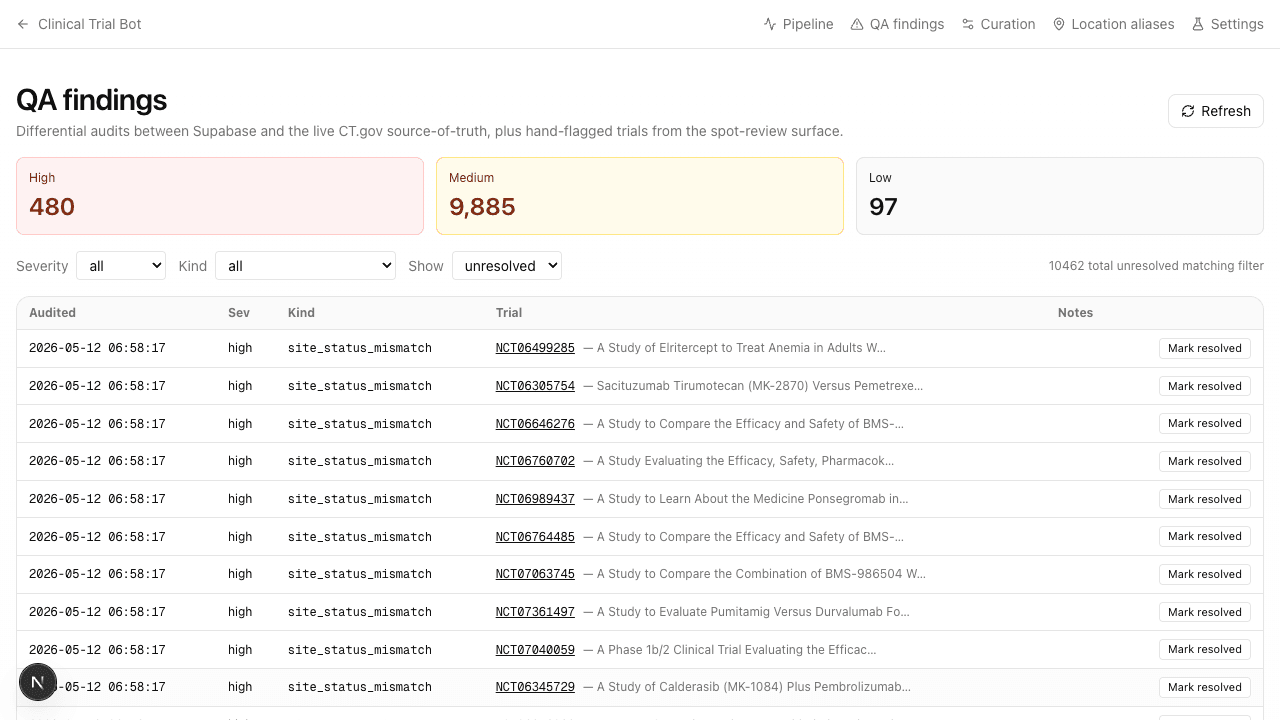
Nightly source-vs-Supabase audits (see scripts/audit-trials.mjs) compare each trial in our database against the live registry and write a row when they diverge. Severity:
- high — actively wrong on a high-traffic or India-active trial, or a structural pipeline bug
- medium — content drift; the source updated and we haven't pulled the delta yet (the bulk of findings)
- low — minor metadata that doesn't affect search quality
Filter by severity, kind (site_status_mismatch, conditions_drift, country_list_diff, trial_status_mismatch, admin_review_flag), or resolved state.
Resolving a finding
Three paths:
- Trigger a manual re-extract of the affected trial via the spot-review actions on its pipeline run page. The next cron picks up the fix.
- Manually fix via the trial editor if it's a one-off the cron won't catch.
- Mark resolved with a note if it's already been addressed or doesn't apply. Writes
resolved_at+resolved_by.